Transcript#
This transcript was generated automatically and may contain errors.
Hello everybody and welcome to today's webinar. My name is Alex Chisholm. I'm a product manager here at Posit. I look after Posit Cloud and Connect Cloud and Posit AI and shinyapps.io and today we are very excited to talk with you about the migration tool that we are putting into Connect Cloud to help people move from shinyapps.io over as well as the entire suite of publishing platforms that we are thinking about bringing into Connect Cloud over the next year or so.
So what I want to do today is take a little bit of time to talk through what exactly Connect Cloud is, why we built it in the first place, and why we think it is the more robust platform for everybody to be sharing both applications and documents moving forward. Then I'll get into the migration timeline. Each of the existing publishing services have slightly different timelines and ways that you'll be able to get content from those systems onto Connect Cloud. Then I'm going to dive into the new migration tool that is in Connect Cloud that makes it very easy for shinyapps.io users specifically to bring over content. And then lastly, we will talk about some resources that are available for you to get started with these tools.
You can go in and take as much time as you like for questions and answers as well. You should have access to get into the Q&A chat area of Zoom. If you do that, we will have people monitoring it and maybe responding during the presentation. And if not, I'll be able to hop on at the end and start working through some of your questions.
What is Connect Cloud?
So let's start with Connect Cloud, what it is, and why we think it is becoming this unified publishing solution. Before we get into that, however, I just wanted to take the time to thank all of you for supporting all of Posit's publishing platforms over the years. My background early in my career as a data analyst, when RPubs came around, when shinyapps.io came around, it made it easy for me, and this is dating myself a little bit, right? But like in the early 2010s, where it was quite hard for me at the companies I was working with to put applications and documents in the hands of others to consume. And these platforms were incredible ways to, in a very frictionless manner, go into RStudio, press push button publishing, and have something that I could share with the world.
And we have seen millions of people deploy millions of things across all of these services. So shinyapps.io and rpubs, bookdown.org, more recently, QuartoPub, a couple years ago, Posit Cloud as well. So we have all of these different systems that are out there that people were able to put up something to share in different ways.
But as we've learned over the years, one, it's helpful for people to be able to take what they're working on and put it in several different platforms. There was a friction even there, like where do I put this thing? Do I put it on rpubs? If I'm going to transition to Quarto, do I need to learn a new system? How do I access these from the IDE? So about three years ago now, we started thinking if we were to build a single unified platform to handle all hosted online frictionless deployments, what would that look like? And that's how we landed on Connect Cloud.
And our goal and our work for the last three years to get to this stage has been making it more powerful for people who need that power, more flexible in terms of what they want to deploy, where they might be deploying it, and also more secure. And on that security side, we'll talk about a bunch of different dimensions of that today. Most recently, however, we achieved our SOC 2 Type 1 status in June and are now working to Type 2 as well. And this is just something that comes up, especially for serious individuals or consultants and organizations, something that gives them more confidence putting potentially sensitive data into a cloud environment.
A little history on Connect Cloud. So it was in July of 2024, so a couple of years ago now, that we released the alpha version of Connect Cloud. And it looked very different at that moment. To begin with, you could only deploy from GitHub. You could still deploy Python applications or R applications, but it required you to put in this manifest.json file for R deployments or this requirements.txt file for Python deployments. Over time, we've been adding more ways to get content into the system. And by early last year in January, we added individual paid plan options. In the middle of last year, we added on organization support for teams to be able to bring in people both internally and externally to see content in a gated way.
Free plan comparison
One thing that we wanted to make sure when starting to consider what a migration path would look like, or a sun setting path would look like, is what is this new service that we are building? And is it as generous to free users as the old systems were?
And this is just important for us, right? So here's a comparison of the different platforms that are still in existence and where the free plan compares. So on the document side, all of these platforms that had the ability to publish a document, like an R Markdown document or a Quarto document, it's unlimited. So if you create a Connect Cloud account today, you can publish unlimited documents, and you can keep them in your free account, and you'll be able to share those broadly and publicly with whoever you like. And on the application side, which isn't relevant for RPubs and Quarto Pub, of course, but it's the same number of total applications that a free user can put in an active state onto Connect Cloud, up to five.
And is it as generous to free users as the old systems were?
Probably one of the biggest benefits, though, is the diversity you get in the number of supported frameworks with Connect Cloud. So each of these other systems of which we have learned from and developed over the years with all of your use, those were singular systems. So shinyapps.io focused on Shiny apps, RPubs on R Markdown, Quarto Pub on Quarto docs. What we are fascinated with about Connect Cloud is just the total number of frameworks that could be supported. And we talked to a lot of teams that are signing up for Connect Cloud, and it's something like 75% of people who are creating Connect Cloud accounts for the first time are telling us they're working on both applications and documents at some stage. And whether that is Shiny and Quarto or Shiny and R Markdown, it completely depends. But what you're going to be able to get on Connect Cloud is a large basket of potential data outputs that can be shared in one simple environment.
We also heard from users that they want more control over how things are deployed. So from shinyapps for example, right, you could use RStudio, you could do it programmatically with the rsconnect package. You could use rpubs.com, you could pretty much do that predominantly through the push button publishing in RStudio. And then for QuartoPub.com, it was the Quarto CLI within the terminal. So limited ways to get content on these older systems. But with Connect Cloud, we've been adding over the years, even though it started with a very tight GitHub integration, now you can deploy from all the other places that you might be doing your data science work.
On that security side, and I think this especially resonates with people who have used shinyapps.io that have put in things like database credentials or API keys into their source code, bundled those up and sent them to shinyapps.io. You know, that is not the preferred security approach, secure approach to be deploying things, putting these credentials in your source code. So on Connect Cloud specifically from the beginning, everyone is able to add secret variables. So you can put in that database credential, the password, that OpenAI API key, whatever it is you might be doing. You store it once, you cannot see it again, we cannot see it again. But at runtime, your applications and the rendering of your documents can pick this up.
And then also on the compute front, not as relevant for rpubs or Quarto Pub because we're talking about documents there. But on the application side, the free plan on Connect Cloud gives everyone the ability to go up to four gigabytes of memory in one CPU, where shinyapps.io was limited to one gigabyte of memory in one CPU.
Deployment options
And I want to dig in just a little bit more to the deployment options on Connect Cloud because I think this tool really tries to meet you where you do your work. So we started with a tight GitHub integration. You essentially install a GitHub app against that account you might have on GitHub. And then we are able to do very, very quick and efficient deploys. We can also set it up on those deploys that if you were to push changes to your main branch, the software Connect Cloud would automatically pick up those changes and redeploy without you having to go into your IDE again or go into Connect Cloud again.
In the last year, we've added support at the IDE level as well. Most recently, I think in April of this year, we added Connect Cloud to the push button publishing workflow in RStudio. And this by and large is still where most people are doing their publishing, both to shinyapps.io and quickly to Connect Cloud as well. But for those people who have moved into Positron, you can also deploy to Connect Cloud with the Posit Publisher extension. So you're able to pull up your Shiny application, let's say in Positron, you open up the Posit Publisher extension, you yourself don't need to worry about or maintain the dependency files anymore. You press the button, it has some configuration for you, it's going to create and pick up all the dependencies you need to make that deployment successful on Connect Cloud.
And then lastly, for the people who like programmatic deployments, we have support for rsconnect. We're very close, we may have already released support for rsconnect Python as well. And then if you want to continue using the CLI through Quarto, you'll find now that Quarto Publish supports Connect Cloud in the last couple of months.
So this was one of the first gates that we had for when we feel comfortable, you know, simplifying these hosted offerings and bringing everybody into Connect Cloud. It's when we can meet people where they're working, and we hope that one of these many options works for you.
Paid plans
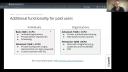
Beyond free plans, for people who do need either more compute or more functionality, you can see here that there are individual and organization plans as well that provide some of this. So first off, you can tell the scaling kind of compute on the enterprise side can go up to 32 gigabytes and eight CPU for one specific piece of content that is being deployed. These are all additive, right? So once you get into basic plan, you can have unlimited applications, you can use private GitHub repos, you can schedule content, which is new for our hosted offerings. So imagine you had a Quarto report that went out to external data sources. And every day, some of those data sources updated, you could do a schedule that would tell Connect Cloud to re-render and redeploy all of those data sources. And then you could do a schedule to re-render and redeploy your Quarto document every morning at 735 East Coast time. And when that happens, it would pick up the new data, and your document will kind of always be most up-to-date for the people who are consuming it.
On the enhanced plan, which is still aimed at individuals, and when we say aimed at individuals here, we mean that there is no notion of seat. You can't have three people from one account. It's really at the individual level. But at this enhanced level, we added a no login require tokenized cryptic private sharing link that some people are satisfied with in terms of sharing things out in a little bit more of a sensitive way. There's still no login required for these. Think of it like a Dropbox link, but they're not indexed, they can be changed, and you have control over what that token looks like.
And then probably most important for a lot of people, especially on this enhanced plan and above, this idea of custom domains. So custom domains were also supported on shinyapps.io, but they never supported SSL, which gives you that HTTPS in the left-hand side of your URL, the secure connection. You can now do that on Connect Cloud, and we give you endless wildcard domains against that APEX top-level domain that you're putting together.
When we move over to the right-hand side of the slide, you can see that for organizations, there's a lot more control over who comes into your account and can do what with your account. So the advanced plan opens up private authenticated sharing. The people who are authenticating can do so via Google or GitHub or email and password. And then everybody who comes into the account gets both an account-level permission, and then the content itself can also have permissions of the people within your account, what are they able to do for specific pieces of content. And then finally, on the enterprise side of things, single sign-on, SSO from Okta, Entra, whoever you might use. We've recently added data auth integrations as well for viewer-level permissions of content.
So what Connect Cloud attempts to do is be able to serve people all the way from early in the community, maybe they're students in university learning how to code for the first time, and they just need a place to put something, all the way through this enterprise use case in an SSO environment where the whole system is backed by SOC2 Type 1 assurances.
Migration timeline
Okay, let's get a little bit more into the migration timeline and the expectations that you should have. And we'll start by looking at our document platforms. And for these, I'm just grouping together rpubs, QuartoPub.com, and bookdown.org. So it is our belief today that Connect Cloud is already the better experience, but we have kind of a tiered approach here to when things will be shutting down, either from a new account creation side or the ability to publish new things and edit existing content.
On the far side, bookdown.org, we announced back in December of last year, and we've already closed new account creations and the ability to change or put new content on bookdown.org. We've already gated new account creation on QuartoPub.com, so you can no longer create an account there. But you still have flexibility, some window till the end of this year to go and publish new things within that account you already have and edit content that has already been deployed. On the rpubs side, we had a lot of conversations internally about this, and we heard from a lot of educators as well that rpubs is still a staple in their curriculum. So we wanted to extend this through the end of the next academic school year. So we will keep both new account creation just to satisfy people who might need it through the end of the final exam weeks next June. But by the end of June next year, we expect to turn off new account creation and the ability to continue editing or putting new content onto rpubs.com.
If we look at the most common question that comes in when we're talking about these services, again, of which have hundreds of thousands, millions of pieces of content that have been deployed, you can see on all of these, we are going to maintain a static version of this content, which is what it is right now when you're on these three services, in read-only form, until December 31st of 2031. So five or so years where everything that you've already deployed, if people rely on that today for information, they'll be able to continue to access that specific URL until the end of December in 2031.
So five or so years where everything that you've already deployed, if people rely on that today for information, they'll be able to continue to access that specific URL until the end of December in 2031.
If, however, you want to bring that content onto Connect Cloud or new content onto Connect Cloud, you can do that by going to rpubs.com. All you really need to do is locate the source code or pull up the source code and get it working locally, and then publish to Connect Cloud with any of those deployment methods that I just spoke about.
shinyapps.io migration
And then the more complex, more interesting product, and I say complex because the other services, right, you're essentially making HTML files and you're deploying those to some URL that can be accessed publicly. shinyapps.io has the added complexity of running live applications that have infrastructure behind them. And these live applications also have the ability to be either private or public, depending on some of the plans that you might be on.
So the way that we're handling this, and if you are a shinyapps.io user, you should have received an email in mid-July describing this process. If you choose not to proactively migrate, which is something that we're going to spend the second part of this presentation covering, if you choose not to proactively migrate, we will migrate for you starting in 2027. If you are a free user, we expect to have this started at the end of January in 2027. If you are a starter or the basic paid plans, we're thinking the end of March, and the two remaining plans, standard and professional, at the end of June. And what this migration means is that we will take any live content that you have on shinyapps.io, we will attempt to migrate that to Connect Cloud and put a permanent redirect in place from the old shinyapps.io URL to the new piece of content on Connect Cloud. And you will essentially become or have your subscription, whatever level it is, moved from shinyapps.io to Connect Cloud at the end of this migration period.
So that leaves one open question, right? It's like, how do I map the different plans from shinyapps.io to Connect Cloud? And the first three are pretty directly comparable in terms of functionality and reach of who can be shared, where the content can be shared. So free moves to free. We have some naming here that maybe it's a little bit confusing, so I wanted to be explicit about it. If you're on the starter plan on shinyapps.io, this corresponds to the basic plan on Connect Cloud. Basic goes to enhanced. And then the top two plans on shinyapps.io, standard and professional, move to the advanced plan on Connect Cloud.
The major difference for those top two plans is that on Connect Cloud, Connect Cloud is a seat based system for organizations. Meaning if you have 15 people that need to authenticate in to your system to see content, you would have to pay for 15 seats for the period. So for some people, and definitely not all, some people will be paying slightly less because they don't have that many named users essentially that they need to bring into a piece of content.
But because of these price differences, we also wanted to be generous and supportive of people who are going to be going through this migration process. So anybody who was an existing customer on shinyapps.io will be able to maintain the same price point they're paying on shinyapps.io all the way until their first renewal in the year 2029. So in essence, we're holding prices steady for a full two and a half year period to get adjusted and accounted for this.
The proactive migration tool
Okay, so what I want to get into now is the proactive migration tool that we've just built in in preview version to Connect Cloud. So this is attempting to make it very easy to give control for people who have high value applications on shinyapps and they want to make sure that this migration process is going to work for them. So we added this in the last couple of weeks. It is labeled as a preview tool still. We're constantly iterating and making improvements to it. My guess would be in the next month or two, we take it out of preview and we do some more promotion and make it more visible within the product. But right now, if you want to start looking into it, you can go to Connect Cloud and all you need to do is either sign up for a new account if you haven't yet created one or log in. And if you go to admin and then shinyapps.io, you're going to have the ability to link your shinyapps.io account.
And here's what that looks like. So I would come here, I would click link shinyapps.io account. This will most likely, if you're using the same email address, find the account that relates to the same email address that you're logged into on Connect Cloud and then you'll confirm that and then it'll return a list of the content, the non-archived content that you have on shinyapps.io. You can link multiple accounts, so you could also come back in to link shinyapps.io account and pick a different one that has a different login, let's say. So say you wanted to move to a different email address, you could do that as well and bring everything into one Connect Cloud account.
So when you're going to see all of the different items that you're seeing down the list here, these are going to be the ones that you're going to try to move over to Connect Cloud. And when they first come in, you know, you're going to see this big blue button that says migrate and that will kick off the process.
That process is going to look something like this. So imagine you've got five shiny apps on shinyapps.io, you link your account, you're going to see these five on Connect Cloud, all that we're going to say not started. When you click on migrate, we're going to attempt to move over to, we're going to attempt to deploy that same piece of content, the same bundle from shinyapps.io on to Connect Cloud. If it is successful, you will see a new button that says preview, right? So it'll look like this. This gives you the chance to click on it and then see the application working live in Connect Cloud. And that's our hope.
If an application fails for some reason to deploy on Connect Cloud, you'll be able to follow the logs to see what exactly might be going wrong. And I'll spend the next slide talking about ways to sort of mitigate some of those most common failures. But the idea would be to iterate past some of these issues to the point where you can get back to a preview mode. And then once you are done with preview mode, so imagine for shiny AB testing here, I did my migration, I got the preview link, I went into the preview on Connect Cloud, I clicked everything, I made sure that it was working how we expect it to work. At that stage, I might feel confident enough to finalize. And when I press finalize, a few things happen. The first thing is a big modal will jump up on your screen and it'll say, are you sure you want to do this? And it says, are you sure, because one, finalizing is permanent in this case.
And when you finalize a piece of content with this migration tool, it is going to archive the application on shinyapps.io. And you can still go into shinyapps, you can still see it, and you can still get the bundle, but it'll no longer be a live applications on shinyapps.io. It will also put in a URL redirect that's going to take people who go to your old shinyapps.io URL, and it'll bring them directly to the new thing that you have approved on Connect Cloud. And that redirect is what's going to sort of maintain continuity. If you don't feel like telling a lot of your viewers that there is a new URL, or maybe you embed something in an iframe, or put it in a different site, you don't need to go through and necessarily update all those URLs, because this redirect will take you to where it needs to go.
The last piece of the puzzle, once you finalize, depends on what your goals are for the piece of content that you've brought over. So the first one is, how would I update the application on Connect Cloud to continue pointing there, right? Because most likely you were in RStudio, you were using pushbutton publishing, you took something and you put it up on shinyapps.io, and then when you wanted to iterate with that application, you changed your code, you press the button again, it went back to shinyapps.io, and it updated the bundle there. What we need to do is have an easy way to tell your IDE that when you're working with this project, when you publish now, you don't want it to go to shinyapps.io anymore, the old link, once you finalized. You want it to go to the new thing on Connect Cloud, so you can continue iterating from there. So there is a way to do this through the rsconnect package, and it's going to change locally what that deployment target looks like.
Common migration failures
Okay, I want to talk about a few things that might get in your way as you're going through this process. So there are some common migration failures that we see. The most common one is that you're going to get some kind of warning or error that a package that you depend on could not be downloaded or installed.
The first thing you want to do if there's an error, you're going to see failed, and you're going to see a link that says see logs. Taking you to see logs will show you the bottom of the logs from the deployment that did not, that was not successful. And you'll also see a dialogue box on the side that says, do you want to try to diagnose this problem with error assist? This is an optional AI-backed tool that can make it easier to understand what the logs are showing you and might help give you information to then go ahead and turn this failure into a successful migration that you can then test and finalize.
The most common way, as I mentioned, for a failure to occur right now is that these packages could not be found, and this especially happens with old applications. So if you have applications up on shinyapps.io that you haven't updated in six or seven years that are running old versions of R, that are running old, that were deployed from old operating systems, you're probably going to get some issues with system dependencies.
You might also find issues sitting around, you might be using a GitHub-specific private repo that might not have access to. You might be putting some things in the manifest, or there could be some things in these old manifests, especially, that specified base R packages or put something like Bioconductor, which is not a CRAN package, and they put it in the manifest as CRAN, and that kind of breaks a lot of the system.
To mitigate this, there are several things that you can attempt to do. Probably the easiest and most complete one is to refresh the dependencies. So find a way to update the packages, get new manifest requirement files. What I found is, for these really old ones, I will download it, I will download the bundle from shinyapps.io, I will bring it into RStudio or Positron. And if I don't have the deployment records for it, that's that's fine, but I will get it to be able to run right with a modern R version and a modern operating system. And I'm sure many of you have done this before. You run it, you'll probably see some failures that tells you to change this or change this. And then once you get it running locally again, you can either redeploy it to shinyapps.io, which is probably the safest thing to do if you wanna maintain that redirect we could put in place. Or you could say, the URL is not as important for this thing that I'm sharing, I'm just gonna deploy this directly to Connect Cloud.
Right now, Connect Cloud supports R version 4 to 4.6 and Python 3.9 to 3.14. If we attempt or if you attempt to migrate a piece of content that has a version below those levels, we will attempt to migrate it at the lowest next level up, right? So if you try to R 3.9, you would get to R 4.0. And that's kind of where these packaging consistencies come from at times.
Resources and support
So what I wanna point you to last before we take any of the questions that might've come in, there are three primary spots, I think, to get information. And the first one is on the shinyapps.io documentation specifically. This is going to have general FAQs about some of the process and the timeline that I mentioned earlier in this presentation. We also expect to be keeping this updated. So as new questions come in now from the webinar or from things that we see in the community, we'll continue to update it there.
This is a relatively long sort of migration window, right? You're gonna have from essentially now with the preview tool all the way to the end, all the way to the end of that migration wave for shinyapps.io at least, which will be end of January for free, end of March for the two lower plans and end of June for the two upper plans. So we expect these documents to be living documents addressing some of the issues as you run into them.
Then for the migration tool itself on Connect Cloud, you can go to the Connect Cloud docs here and you'll be able to learn more about the migration tool process, mitigating some of those failures, understanding some of the warnings that might come up in the logs that you do have. And then lastly, you can go either to the Connect Cloud community forums or the shinyapps community forums. We have hundreds of thousands of users that tend to be, many of them are active in these places. So if you run into a problem with the migration tool or if you have questions of Connect Cloud, that's usually the best starting point for you to go. And if you happen to be on a paid plan of either shinyapps.io or Connect Cloud, then you can also use your normal support channels if you're having a specific issue with any of these, the migrations that you are trying to complete.
Q&A
Okay, so I think with that, we've got a decent amount of time for Q&A and I'd be happy to walk through or work through anything that might've been coming in. Yeah, absolutely. And I'll help read these out. Thank you everyone for joining. I'm Chris Dimopolo, I'm product marketing manager for Connect Cloud. And we have lots of questions. Thank you very much for all these different questions. We've gotten this a few times, so it may be good to kind of talk it over. Are seats referring to plan users or anyone who views an application and are the viewer roles priced the same as admin and publisher roles?
Yes, so let me start with the second part first. A seat is required for anyone who needs to authenticate in to either publish or see content. So they are priced the same, a seat is a seat. And I think in this world of AI, it seems like a lot more people who might've traditionally been viewers now wanna dabble in the publishing space as well. But anyone who needs to authenticate into a piece of content, whether that person is internal to your organization or external.
Yeah, good, good question. Yeah, so really that answer answers both of them. So anyone who needs to authenticate in requires a seat. Anyone you are sharing with in a public manner, or if you're on the enhanced plan or above with those private link sharing, that cryptic link, those do not require a seat for them at all.
Is there a timeframe for multiple instances or scalability? Yes, good question. And we expect to tackle this early next year. The only two plans right now that have multiple instances are the top two plans on shinyapps.io, standard and professional. And these are the waves that are not going to close until the end of June next year. So we do hope to address a horizontal scaling by then.
How was authentication handled for end users of an app who are not Posit Connect Cloud seat holders? Yeah, let me see if I can pull it up and share it, right? So let me go into an organization account here. All right, so we have like this shiny application, right? That I deployed to this organization. So if you're on the advanced plan or the enterprise plan of Connect Cloud, this is what your portal is going to look like. And you're going to have a lot of refined controls over who you share with.
So at the content level, you can invite specific people in that are within your organization. So these are either viewers or publishers or admins within my organization's account here, right? So I could add, let's go ahead and add Amy. Amy just got an email that said, hey, Amy, you've been invited to this piece of content, you know, go check it out. So now she is a viewer on this account. If I wanted to promote her, if she had the rights, I could also make her a publisher if I wanted to, right? If she's a publisher, sorry, an editor. If she's an editor, she can change things like the things about the deployment itself, the compute resources, some of the metadata.
If you want to invite people at your whole organization level, then I could say, well, let's bring everybody in as a viewer. And then anybody who has viewer privileges or above is now able to see this piece of content. If I have the public use case, and I want everyone in the world to be able to see it, I can change public access to enabled.
So those are like the internal and the public sharing use case. But the really interesting one with Connect Cloud is that we have this notion of external guest. And I know for a lot of you, especially people who do consulting, right? You might have five different clients and each client has three or four people that need to come in and eventually see something that you've made for them as a one-off handoff, or maybe it's a recurring analytics dashboard that they're constantly going into. You also have this notion of external guest on Connect Cloud.
So if I were to invite in someone externally that is not in my system right now, so you can see everybody here has been brought in at the account level. But if I wanted to add in somebody externally, maybe add a new client at alex.dataquery.com, now this person just got an email that says you've been invited by this organization to Connect Cloud to view this specific piece of content. They would need to come to Connect Cloud. They would need to, if they don't already have a free account, create a free account through Google or GitHub or email and password. And now this person, once they accept, they would log in. And the only thing that they would see would be this one specific thing that we shared with them.
They're actually not a member of your internal account. So they don't have a role of publisher or admin or viewer. They're explicitly denoted as an external viewer tied to one or more pieces of content. So that's kind of like the levels of cascading sharing you can do within Connect Cloud.
As our dashboard moves over to Posit Connect Cloud, how will our unexpired subscription balance be applied or credited to the equivalent Posit Connect Cloud advanced plan? And how do you ensure there are no additional costs incurred during this transition? Yeah, great question. So I mentioned we will be grandfathering people in on paid plans to Connect Cloud after this mapping to the new plan makes sense. The only real exception to that is if you are someone who is using like the professional version of shinyapps.io and you really want SSO or you want auth integrations, like that would be a separate upgrade to the enterprise plan that we do have. But for most people, you'll just continue to renew on shinyapps.io, whatever it is you're paying right now. At the stage where we move your subscription from shinyapps to Connect Cloud at the end of the migration period next year, it would come to Connect Cloud and we would have it marked that this is a legacy customer essentially, and that the price would be the exact same through 2028 and into that 2029 renewal. So there will not be additional costs during this period if you continue to renew as expected on shinyapps.io for this next year or so period as we get to that state.
How long will that URL redirect last for? I think technically, so the URL redirects that we promised on rpubs, QuartoPub and bookdown.org, we put on the books at five years. I think what we'll say for Connect Cloud is at least five years, there's a chance that we'll keep them on longer, but that's what we're going to commit to in writing to begin with is through December of 2031.
I linked my shinyapps account to my Connect Cloud account, I had a standard plan on Shiny, but it says I only have the free plan on Connect. When will I get the new plan and should I wait to migrate until then? It should be, if you did the migration tool and you made the link to your shinyapps account, it should have automatically upgraded your plan on Connect Cloud. So if you had a problem with that, and one way, like I first want to make sure that you're not on the upgraded plan, if you really, if you find that you don't have, let's say sharing properties or role-based access controls, like that's a good tell that you might be mapped to the wrong plan. If that's the case, you can drop me an email at connectcloudatposit.co or alex.chismatposit.co and we can look into that for you.
External viewers are not considered seats then, right? If they do not need to authenticate into the application, that is correct, right? So like if you're giving a URL and you're putting that URL in a chat form somewhere and people are going to it, they do not count as seats. If you're bringing in a, let's say you had a board member who doesn't have like the same email as your organization, you want to bring them in as an external guest and make them log in to see content, then they would be considered a seat. So anyone who needs to authenticate into content does require a seat.
On my organizational account, we have one billing account that is locked into by multiple individuals. Is that still one seat or does each individual count as a different seat? For now, each individual counts as a different seat. I think this ties in some way to another question that said, if I have the standard plan today, how many seats are available at the same price in Connect Cloud through 2027? That question is all the ones that you have today. So when I say that we are honoring your price on shinyapps.io today, that means at the same level of service, right? So the total number of people that you have right now, either as authenticated users or viewers, sorry, or members, we would respect that number on the migration into Connect Cloud through 2028.
How will applications with multiple seats be managed? We use the standard plans, majority of seats are external viewers, not editors. Yeah, so at the time, let's imagine we're back here and we've migrated this application. What you would see is any authenticated user that you had on a specific piece of content on shinyapps.io would be brought over at the time of content migration through this migration tool. So if you had four people that were authenticated users on a piece of content on shinyapps.io, they would all be here as guests on the account now. And it's okay if they're in multiple pieces of content, they would show up there. They would still be guests at the account level and viewer on the individual piece of content.
What if it doesn't work, the migration, and there's issues with solving it? Do they have to reach out or will we just automatically do it? Kind of how does that work if it's having issues? Yeah, so the first level of defense is looking at your logs to see if there's a clear kind of error message for something that you might be able to control. And as we discussed, the most common thing is using old applications that are on old versions of R or what they were deployed onto old operating systems that Connect Cloud doesn't support, in which case getting it to work locally again and then redeploying it to shinyapps and then migrating it over or deploying it directly to Connect Cloud is usually the best way. If you still run into errors at that point and you are a free user, the community boards are the best places to go. Tell us the issue that you're facing. Either someone in the community might chime in, but we are keeping closer eye on those than normal during this migration period so that we can pick up common issues and build those into fixes for the migration tool itself. And then if you are on a pay plan, you're welcome to go through your normal support channels to get in contact with us directly.
Does our account name from shinyapps.io automatically transfer over for application order in general? It doesn't automatically transfer over. When you create a Connect Cloud account, you'll be able to set the name of your Connect Cloud account at that point, and that's what's going to carry over. The name of the content will automatically come over to the URL structure on Connect Cloud, but not the account name. That's done at the time where you create your Connect Cloud account for the first time.
And then, is it possible to create homepages for specific groups of users? Good question, Toby. We have on our roadmap this idea of groups or something like spaces. We don't have that supported right now, but we do understand that would make it easier for people to group content, especially if you've got a bunch of external people who might be from different groups, different parts of the world or different parts of your business. So that's on the roadmap, but we haven't prioritized it just yet.
For troubleshooting during migration, what's the best support contact? Yeah, so what I mentioned earlier, like if you have access to email support as a paid user of these services, just go through those channels. You'll be able to access it from the product directly. If you're not on a paid plan, the best starting point, if you can't solve it on your own, is going to the community boards and seeing if someone else has some ideas. And like I said, we're also looking at those more closely now, especially if they relate to migrations.
Real quick, what is the minimum number of seats? The minimum number of seats on the advanced plan is five.
Can any member of existing accounts do the migration of individual apps or only the owner? The owner is the person who's going to make the initial sync with Connect Cloud's migration tool.
Will our account name in Connect Cloud always be shown in the app URL names? Can this account name ever be changed like it could in shinyapps.io? Yeah, we also have an issue to allow more flexibility for users to self-change their account name if they wanted to. I think the better approach that you'll find in Connect Cloud is if you go into settings for a specific piece of content and URL, here's kind of the basics that you're going to see. So you can customize your URL that's going to go from the account name that you have chosen for Connect Cloud dash the name of the specific application that you have control to customize against. If you have the ability to, if you're on the plan of enhanced or above and you can set up a custom domain, this is obviously a much nicer experience with shorter URLs and it gives you more control over the branding. And those are very easy to set up in a secure way on Connect Cloud.
We have an app with hundreds of users who authenticate into the content but they never edit the app. They have the professional plan. Yeah, so during the migration, when you migrate that piece of content, they will be brought over to Connect Cloud as external guests and viewers on that one specific piece of content that they're looking for. Their experience is going to remain identical. They will still use the same authentication they're going into. So imagine they went to the old URL on shinyapps.io that you've provided them. If they click on that, it would take them to the off screen that they're used to logging into. It's the same between shinyapps.io and Connect Cloud. They'll click go. The redirect would happen behind the scene and they would go to the new URL on Connect Cloud. So I think that should work for you pretty much out of the box.
And each person who's authenticated in does require a seat. This is again, this will be a change for some that have hundreds or thousands of people that might be private viewers. But it's also the value that you're getting from the tool to be able to allow hundreds or thousands of people to come into a system and view sort of gated content.
You guys will all be getting copies of this recording, both via email and we will also be publishing this on YouTube. So if you have some teammates who want to, who will be affected by this and want to consume this content, they can go ahead and watch the YouTube video that will be up shortly after this about 48 hour processing time period. So be on the lookout for that. But yeah, if you guys have any additional questions, I will also add some more like resources via email for you guys to like directly reach out to us. So yeah, with that being said, I just wanted to say thank you all. Thank you both Alex and Chris and also everyone who's here joining us today, joining us for this big exciting change. And yeah, just be on the lookout for your email. We'll have some follow-up information for you guys. And yeah, look forward to changing and growing together. So thank you.