


We are happy to introduce pkgsite. It reads the compiled .Rd files in your
R package and converts them into .qmd files. It can also automatically create
a reference index page that lists all your exported functions. You can customize
the format of both using templates, then let Quarto render the HTML. pkgsite
is now available on CRAN, to install use:
install.packages("pkgsite")pkgsite is inspired by Python’s Quartodoc,
which does the same for Python packages.
Why pkgsite?#
The main website builder for R packages is pkgdown.
It goes all the way to a finished, publication-ready HTML website in one step,
and for most packages that is exactly what you want. It is mature, has a large
ecosystem of themes and extensions, and just works.
pkgsite, on the other hand, only creates .qmd files with the help content.
You decide how to structure the site around them, and Quarto handles the final
HTML output.
To see what that looks like, compare the
source .Rd file
for llm_sentiment() in mall with the
.qmd file pkgsite generated from it.
Two cases where we have seen it make a difference are:
- Examples that require local resources
- Unified R and Python Quarto sites
Examples that require local resources#
Some packages depend on things that are not available on automated build and publishing platforms such as GitHub Actions or Netlify: databases, large language models, or Spark clusters. Running their examples there is not feasible, yet you still want working, rendered documentation.
Quarto’s freeze
solves this cleanly. You render the site once locally where those resources are
available, commit the _freeze/ folder alongside your source, and GitHub
rebuilds the site on every push without re-executing a single line of code.
The mall and
lang packages are concrete examples.
Their function examples call an LLM, so they cannot run on those platforms.
With pkgsite and freeze, rendering happens on a developer machine where the
model is accessible, and the frozen output travels with the repository.
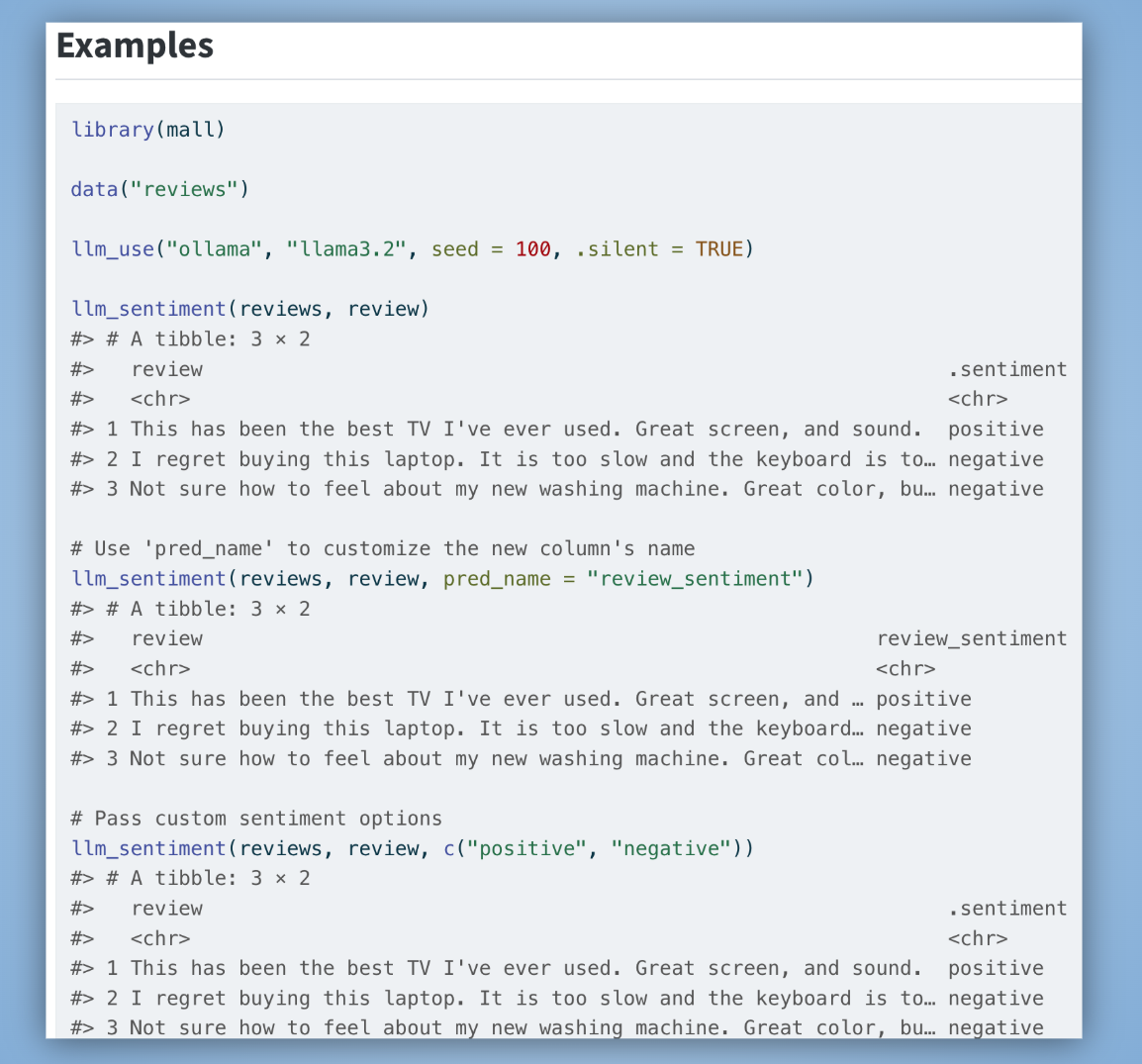
In the llm_sentiment() function, the example section looks like this in the
resulting .qmd file:
## Examples
```{r}
library(mall)

data("reviews")

llm_use("ollama", "llama3.2", seed = 100, .silent = TRUE)

llm_sentiment(reviews, review)

# Use 'pred_name' to customize the new column's name
llm_sentiment(reviews, review, pred_name = "review_sentiment")
```
And this is what the rendered page looks like on the mall website:
Unified R and Python sites#
If your project ships both an R package and a Python package, you can combine
pkgsite’s output with
Quartodoc’s
output into a single Quarto website. Both tools write .qmd reference pages
that Quarto assembles together, giving R and Python users a consistent
experience on one site. The mall package’s
reference section is a live
example: R and Python pages side by side, built from two different tools,
served as one site.
Getting started#
From within your package directory, one function call does the work:
library(pkgsite)
write_reference()
write_reference() creates a reference/index.qmd that links to all your
exported functions, and converts each .Rd file in man/ into its own .qmd
reference page.
You can customize its behavior through arguments. For example, if you want to skip running the examples when Quarto renders the reference pages:
write_reference(examples = FALSE, not_run_examples = FALSE)Calling it without arguments reads any configuration from a pkgsite: section
at the top level of _quarto.yml. Following the same convention as
Quartodoc,
the Python equivalent, this is where you set the package root, the output
folder, templates, and optionally how functions are grouped and ordered in the
index:
pkgsite:
  dir: "."                    # path to the package root
  reference:
    dir: reference            # where to write the .qmd files
    not_run_examples: false   # whether to execute \dontrun{} examples
    template: inst/templates/_reference.qmd   # custom page template
    index:
      file: index.qmd         # name of the index file
      template: inst/templates/_index.qmd     # custom index template
      contents:               # optional: custom function grouping
        - section: "Write files"
          contents:
            - write_reference.qmd
            - write_reference_index.qmd
            - write_reference_pages.qmd
        - section: "Conversion"
          contents:
            - rd_to_qmd.qmd
            - rd_to_list.qmd
            - index_to_qmd.qmd
If you omit contents, pkgsite falls back to grouping by roxygen2
@family tags, then alphabetical order. You only need to re-run
write_reference() when you add, rename, or remove exported functions.
Use arguments for one-off adjustments; the _quarto.yml configuration is the
better choice when you want those settings to apply consistently every time
write_reference() is called.
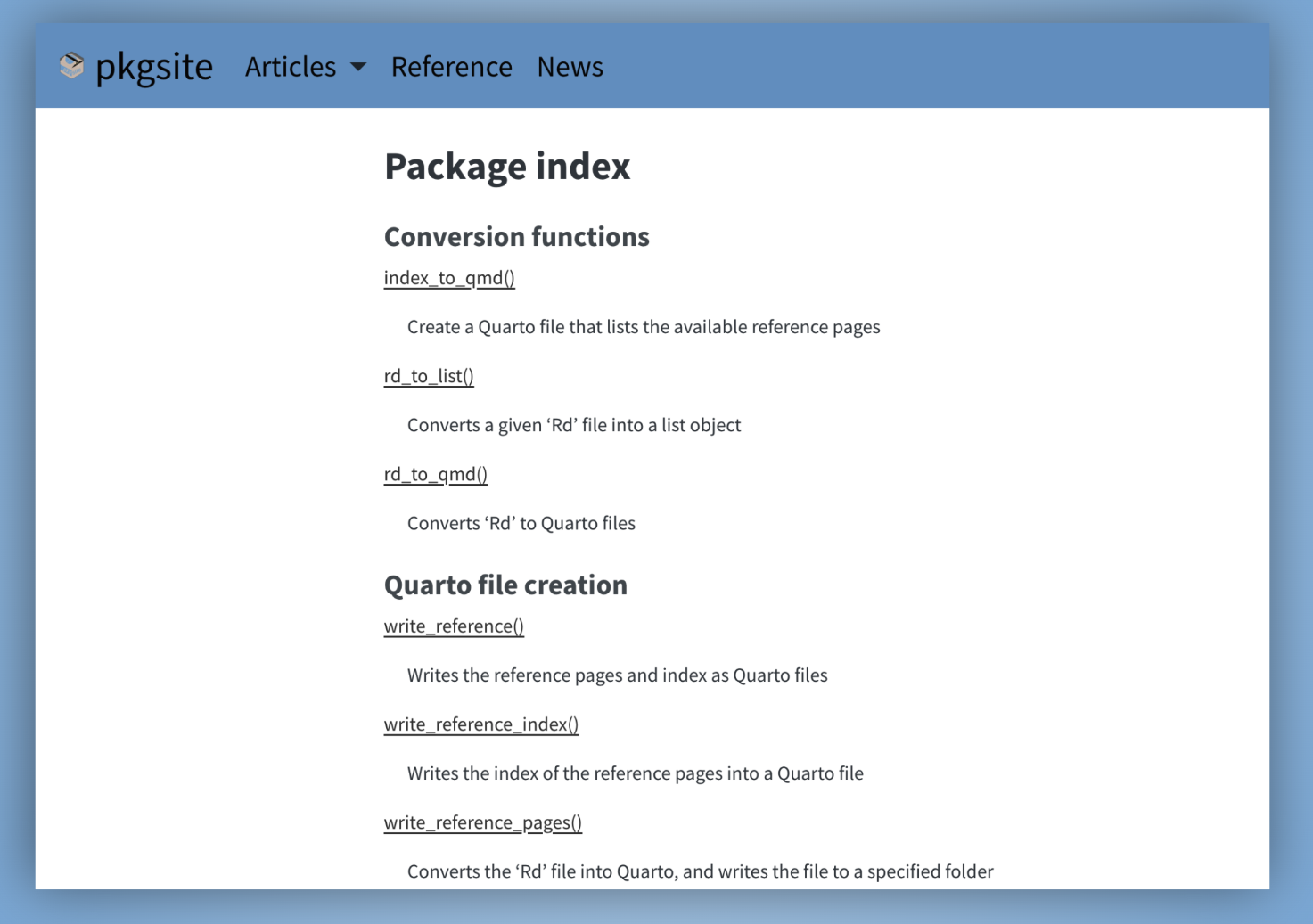
This is what the rendered reference index page looks like on the pkgsite
website, using the grouping specified in the example YAML above:
Customizing the page layout#
The layout of every reference page and the index is driven by a Quarto template
file that uses four-curly-brace placeholders like {{{{title.description}}}}.
The prefix — title. or notitle. — controls whether the section heading is
included. The defaults work well for most packages, but if you want to
re-order sections, add a logo, link to source code, or adjust per-page
frontmatter, you can supply your own template. For example, a minimal template
that shows only the title, description, and examples looks like this:
---
title: "{{{{notitle.title}}}}"
---

## {{{{notitle.title}}}}

## Description
{{{{title.description}}}}

## Examples
{{{{title.examples}}}}
The Customize the pages article covers the full set of available placeholders.
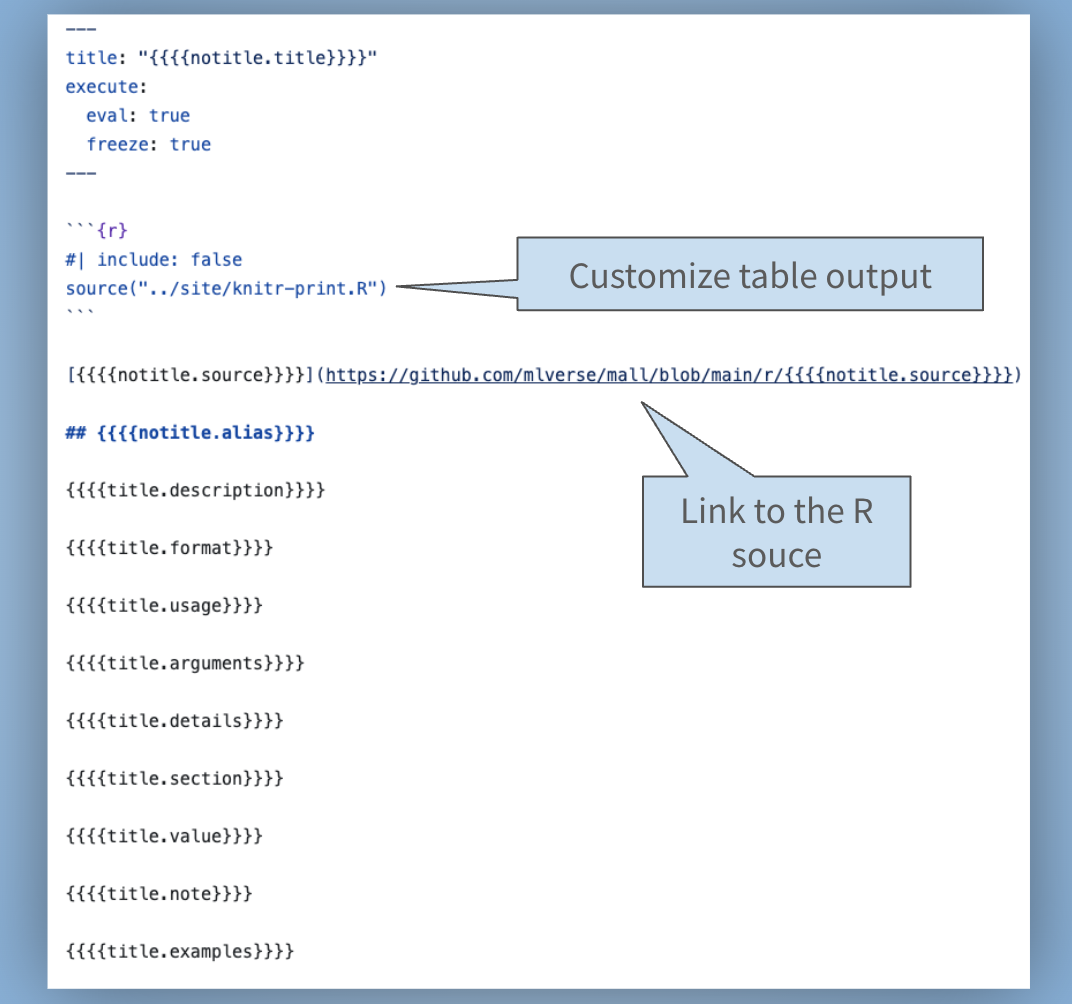
The mall package is a good example of this. Its custom template makes two
additions to the default: it adjusts how knitr renders table column widths,
and it adds a link to the R source code of each function on GitHub:
Publishing to GitHub Pages#
To publish your site on every push to main, you need a GitHub Actions
workflow that runs quarto render and deploys the output to the gh-pages
branch. The
GitHub Pages
article on the pkgsite website walks through the full setup with a working
example.
Auto-linking function names#
pkgsite can turn every function name in your prose into a link pointing to
its own reference page automatically. Mention llm_sentiment() anywhere in
your documentation and it becomes a clickable link to the llm_sentiment
reference page, no extra markup needed. The same
GitHub Pages
article covers how to enable it.
Learn more#
The full documentation lives at edgararuiz.github.io/pkgsite, and the source is on GitHub. Issues and feature requests go to the issue tracker.