

We often get questions about how Posit Assistant compares to other coding agents like Claude Code. If you’re already using Posit Assistant with a Claude model, are they really that different? At a high level, Claude Code is an extremely useful general-purpose coding agent, but we designed Posit Assistant specifically for people who work with data. This post covers three specific differences:
- Posit Assistant has out-of-the-box access to your R or Python session.
- Posit Assistant can display plots in the chat, leading to easier interpretation for you and the agent.
- Posit Assistant has specialized interaction modes, skills, and prompting for data analysis.
You can also see a full demo of these features in this video:
This post talks about Posit Assistant, Posit’s latest coding agent available in RStudio and Positron. Posit AI is a model subscription service that can power Posit Assistant. Positron Assistant is a coding agent built into Positron. We plan for Posit Assistant to supersede Positron Assistant in Q3 2026.
Coding agents vs. chat apps#
Claude Code and Posit Assistant are both coding agents. An agent is a “model running tools in a loop,” meaning an agent can see your environment, take actions in that environment (e.g., run code), and iterate based on the outcome of those actions. These abilities make agents vastly more useful for coding than chat apps like ChatGPT.
Chat apps can’t see your environment or take any actions in your environment. You have to copy-and-paste code into your session, run it yourself, and paste any errors or output back. This both makes the experience more frustrating and increases the probability of errors, because the model is writing code that operates on data and files that it doesn’t actually have access to.
If you haven’t tried a coding agent before and are still relying on chat apps for coding assistance, we recommend trying one out.
Built-in access to your R/Python session#
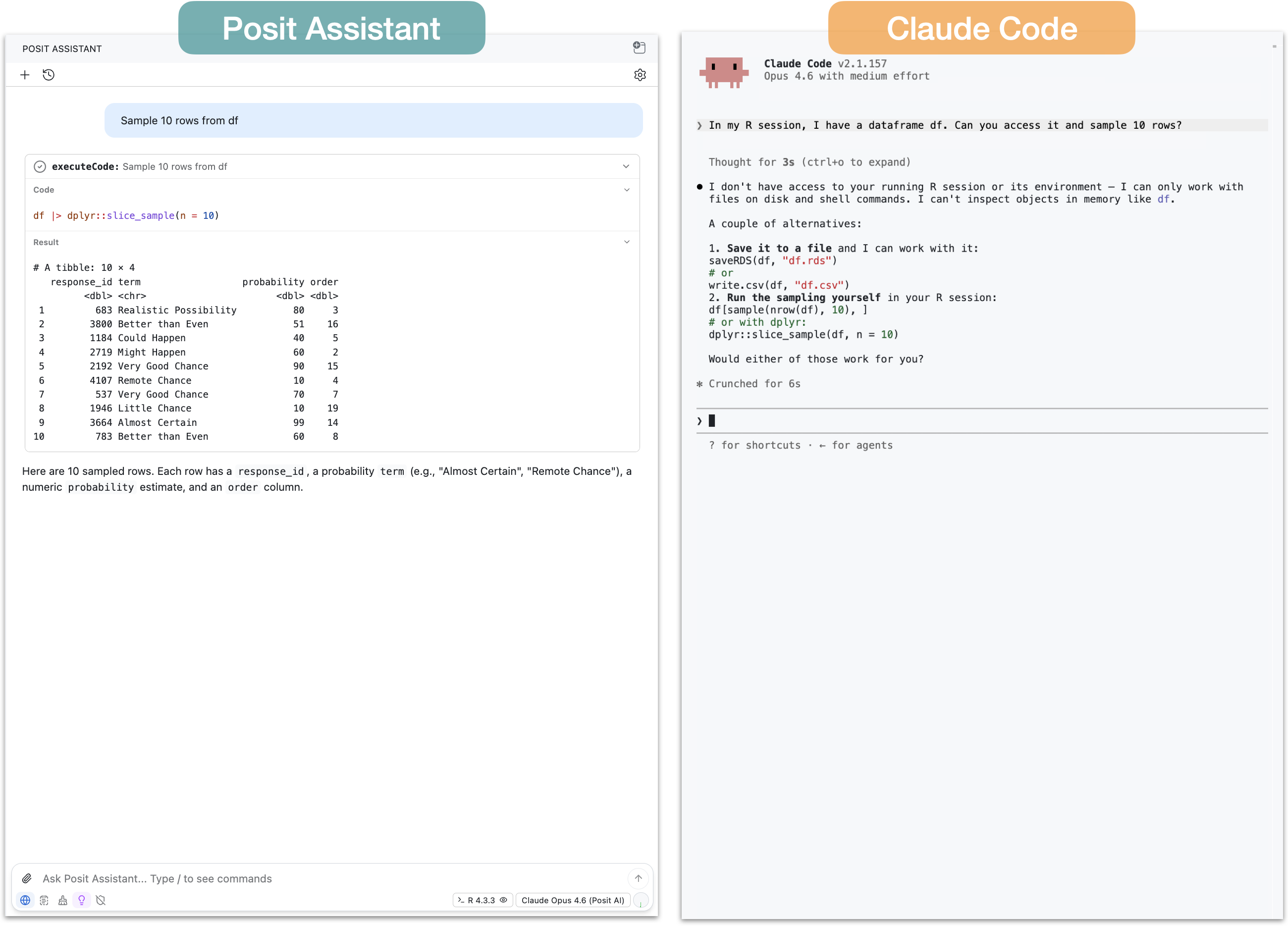
The first major difference is that Posit Assistant has built-in access to your R or Python session. This means that Posit Assistant, without any additional configuration, can see your R or Python objects and run code directly in your active session.
Claude Code lacks this ability out of the box. It can write R code to files and run scripts, but it can’t directly access data you’ve loaded or run R code interactively.
If you ask a coding agent without session access to, for example, filter a tibble df you have in your environment, it will write R code to a script and then run that script with the Rscript command. This works, but has a couple of downsides:
- Before running the script, the agent can’t actually tell that
dfexists. If it doesn’t exist, it will have to wait for an error message from the script. - You might not want to create and run scripts for every bit of code.
- It leaves you and the agent on different footing: you have direct access to your session, but the agent doesn’t. This can make errors more likely and the general experience more frustrating.
It is possible to give agents like Claude Code access to your R or Python session by using an MCP server. In the walkthrough video, we show how to do this using the btw package, giving Claude Code the ability to access our R session and run R code directly.
Even with an MCP server, however, it may be difficult to see the code being run on your behalf. For some tasks, this might not matter, but if you’re analyzing data it can be important to understand the analysis in detail. For data analysis tasks, Posit Assistant is designed for auditability and transparency. The code is visible in the tool call UI with syntax highlighting and styling, so you can easily audit what’s happening to your data at each step.
See this comparison in the video: Claude Code | Posit Assistant
Data visualization#
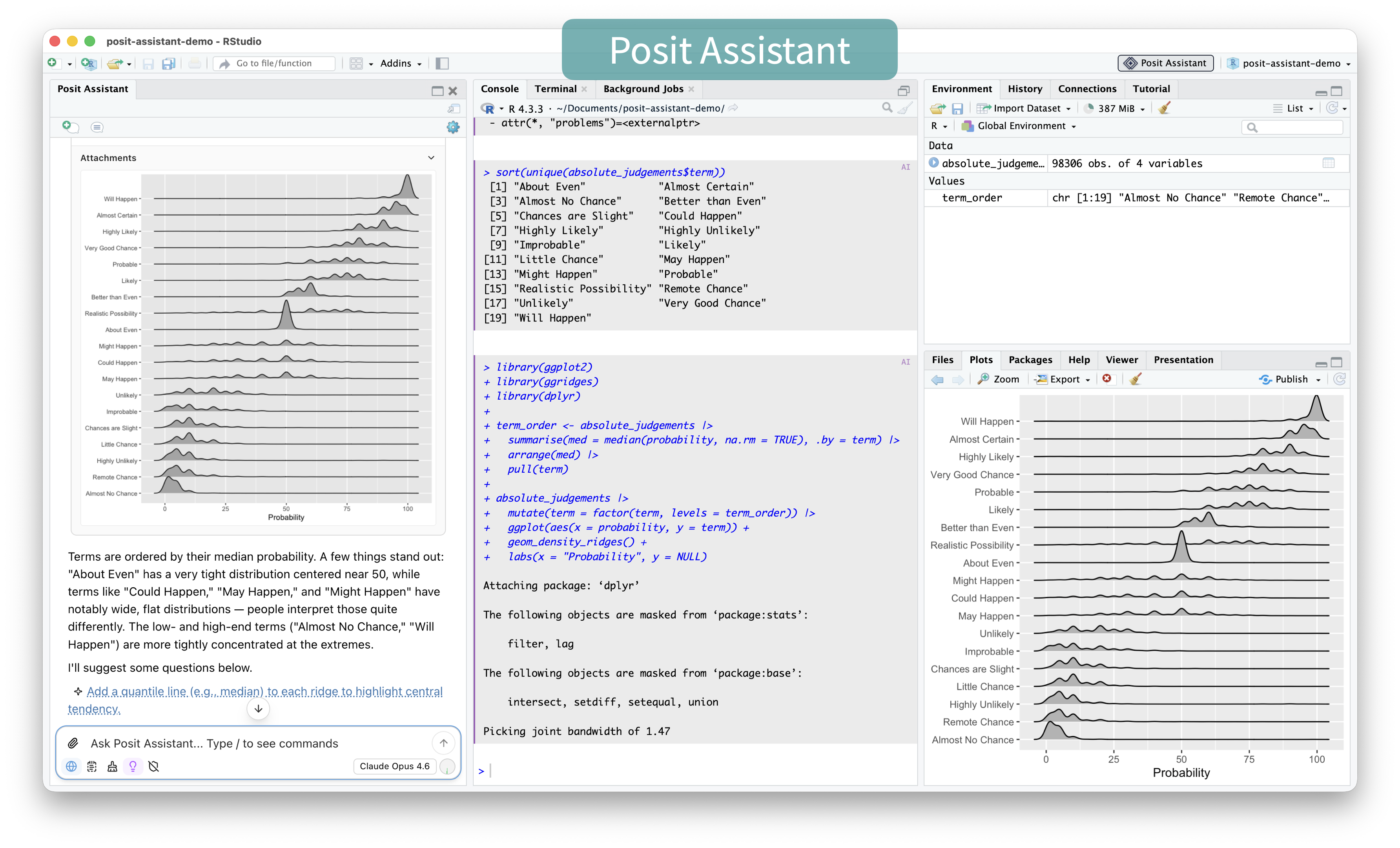
Claude Code can write code to create plots, but can’t display them natively in the terminal and will need an alternative way to show them to you (e.g., opening a file in Preview). Even for the model itself to see the plot, it has to save the plot to a PNG file and then read that file.
Because Posit Assistant runs code in your console, plots show up in the RStudio or Positron plot pane, as well as directly in the chat panel. This makes it easier for you to quickly inspect and analyze the plot and iterate if needed. Posit Assistant will also automatically see the plot image and typically interpret it or assess whether it is correct, which makes it very useful for EDA and data analysis.
This ability for you and the agent to both see the same plot is important for auditability. There’s evidence that even the most advanced models sometimes misinterpret plots that contradict their expectations, and so having you and the agent looking at and interpreting the same plot makes it easier to catch mistakes.
See this comparison in the video: Claude Code | Posit Assistant
Specialized data analysis capabilities#
Session access and plotting affordances both directly support data analysis, but Posit Assistant also has interaction modes, prompting, and skills specifically designed for it.
Posit Assistant is both a general-purpose coding agent and a specialized data analysis agent, and it behaves slightly differently depending on your task. During data exploration, it only runs a few bits of code at a time, then summarizes what it found and suggests next steps. Because the purpose of data analysis, especially exploration, is for you to learn about the data, the entire process breaks down if the model runs ahead with analysis you can’t keep up with. Posit Assistant’s approach to co-analysis with the user is designed to support your understanding of the data rather than hinder it.
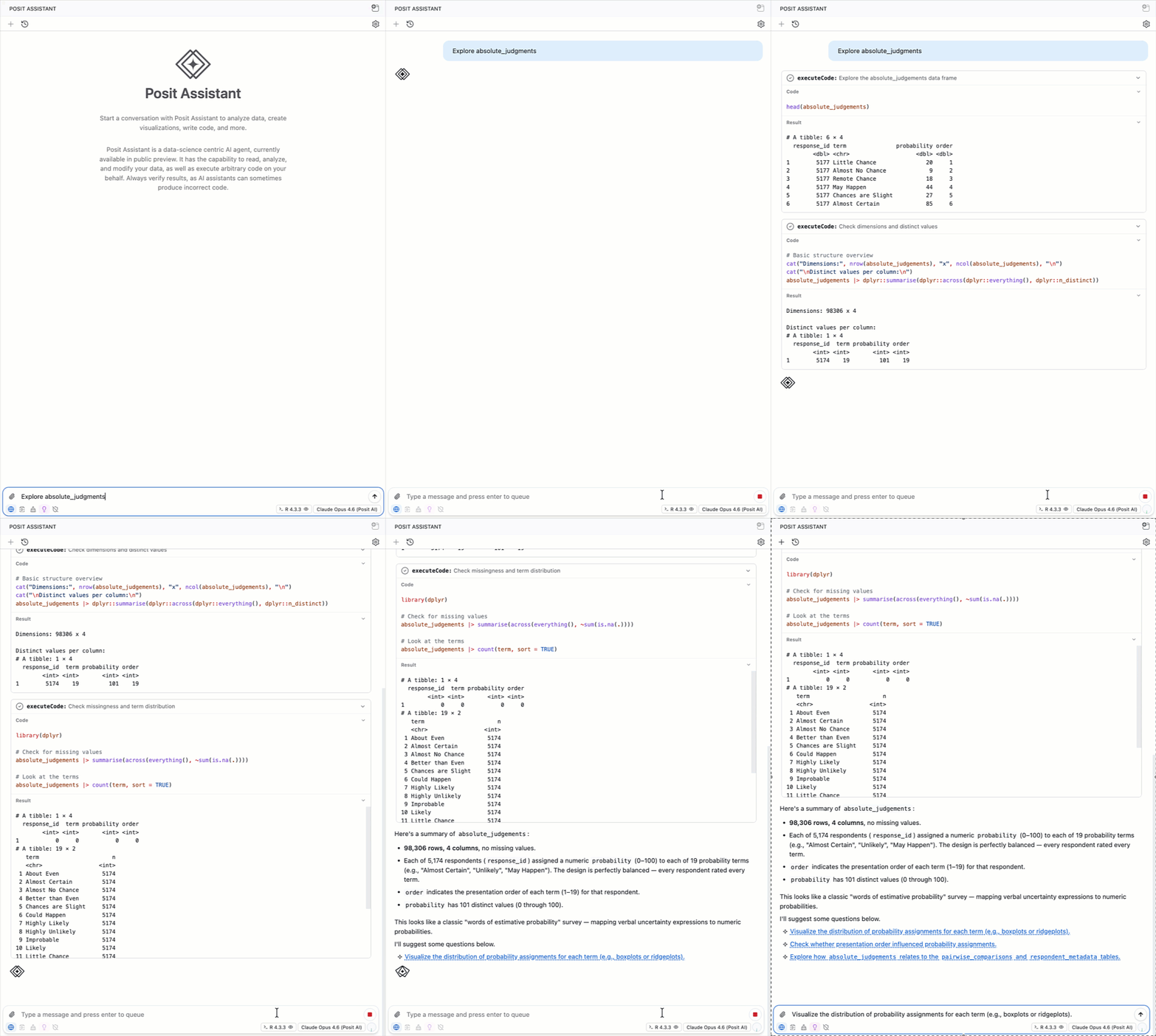
Claude Code excels at writing code, but is generally oriented toward writing that code to files, executing it, and reviewing it, rather than exploring data step-by-step with the user.
Posit Assistant also has specialized prompting, skills, and tools that promote sound data analysis. These include skills for making Shiny apps and Quarto reports, a data cleaning mode, and prompting about rigorous statistical and modeling practices.
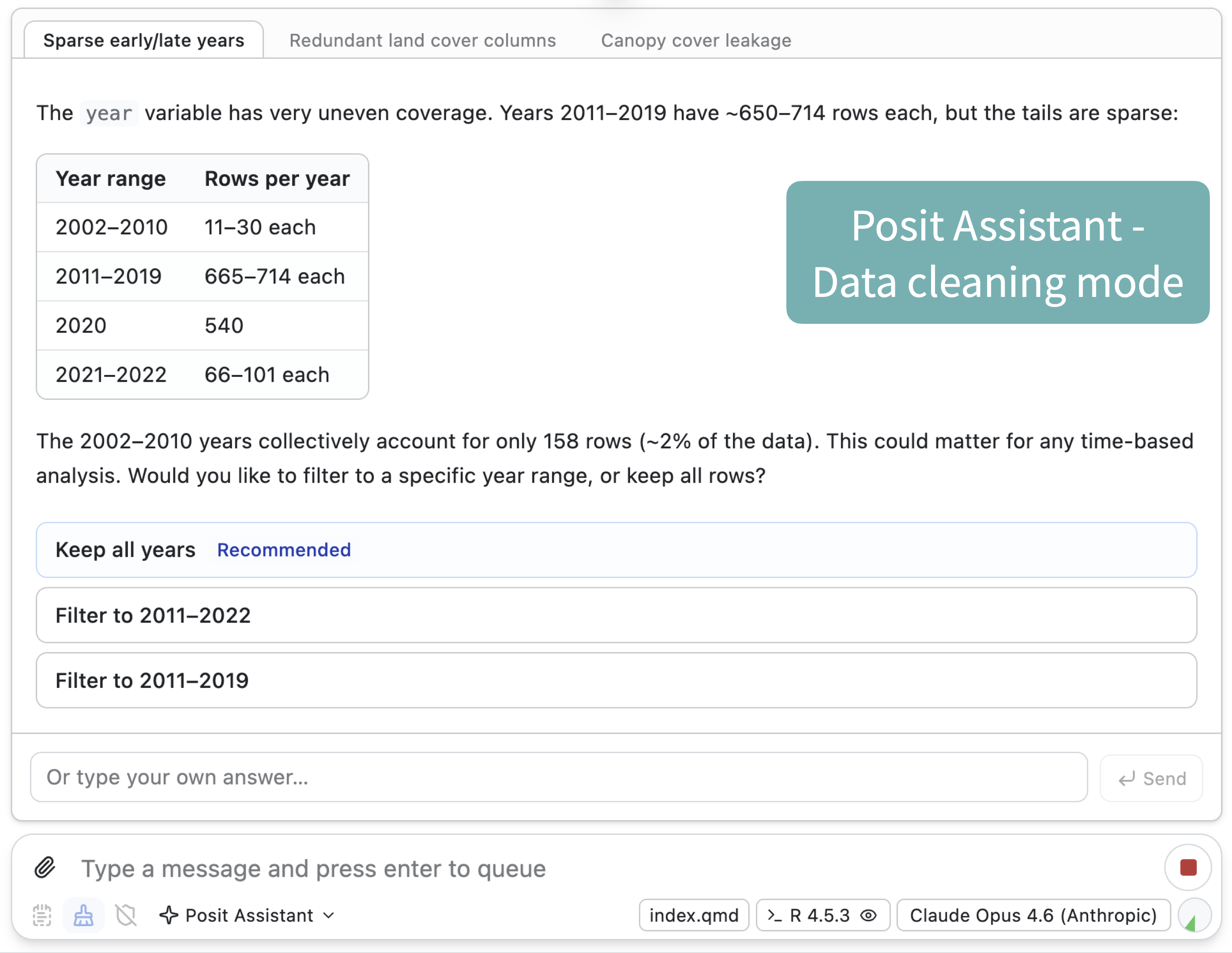
See this comparison in the video: Claude Code | Posit Assistant
Posit Assistant is designed for data work#
Claude Code, Codex, and other coding agents are very useful tools. They excel at general-purpose coding tasks, and you might want to use them for work that benefits from running multiple agents in parallel, or because you want to take advantage of your existing subscription plans.
However, we made Posit Assistant because we think the millions of data scientists, researchers, and analysts who rely on R and Python should have an excellent agent specifically designed for them and their needs. Those needs include data analysis and visualization, but also package development, Shiny app creation, and other coding-focused tasks in the data science ecosystem.
Learn more about Posit Assistant: https://posit-dev.github.io/assistant/.