



We’re pleased to announce that Shiny for Python v1.9 is now on PyPI!
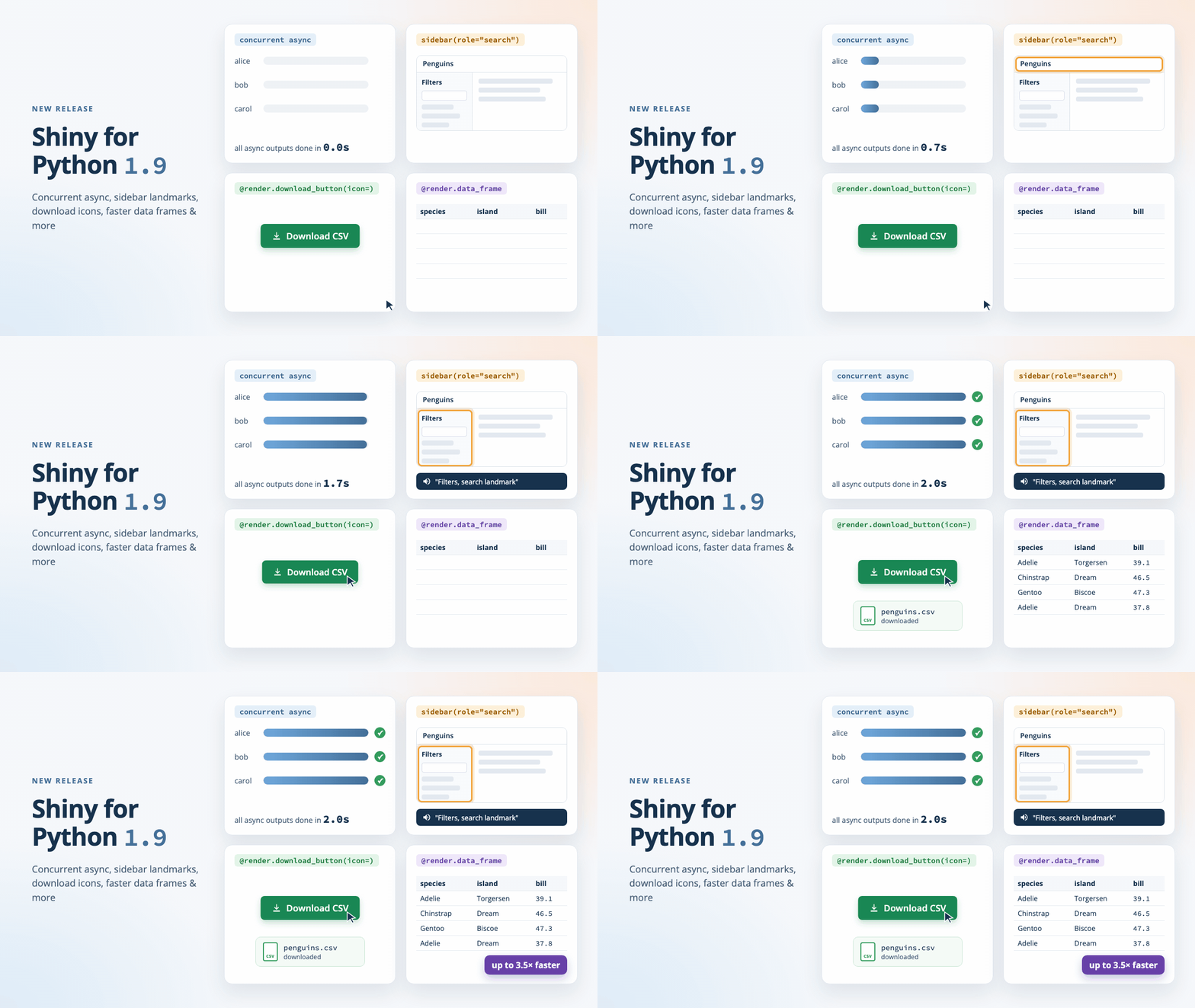
pip install -U shinyThe highlights:
- Async effects and outputs now run concurrently, so one slow
awaitno longer holds up other sessions or other outputs, ui.sidebar(role=)makes a sidebar an ARIA landmark that screen reader users can jump to,- Express download buttons take an
iconand other attributes, with noui.hold()needed, and - UI updates from background tasks now reach the browser right away.
This release has a few breaking changes, so please read Breaking changes before you upgrade. Full details are in the Shiny for Python changelog.
Concurrent async#
The biggest change in 1.9 is under the hood. Until now, one lock for the whole process ran reactive updates one at a time. If an async output awaited a two-second database query, every other session in the process waited too, and so did the other outputs in the same session.
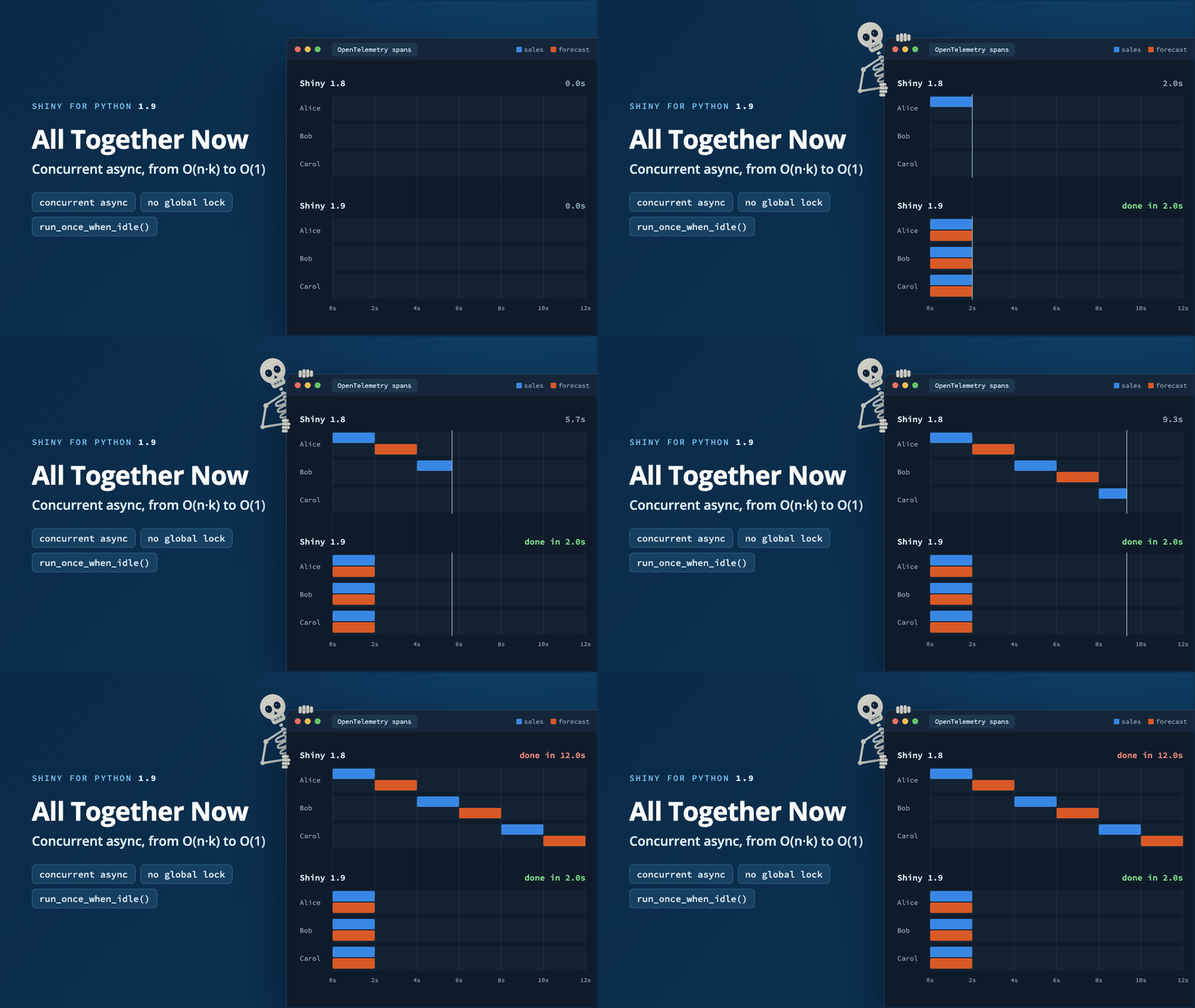
In 1.9 the lock is gone. Shiny starts each invalidated effect as its own task, so while one async output awaits, the event loop is free to run the others:
from shiny.express import render


@render.text
async def sales():
    return await db.query("sales")  # 2 seconds


@render.text
async def forecast():
    return await api.forecast()  # 2 seconds
In 1.8, this page took four seconds for one user, and eight seconds for the second of two users who clicked at the same time. In 1.9, both outputs finish after two seconds for everyone. The rest of how a session behaves stays the same: input changes still wait until all of the session’s effects have finished, and outputs are still sent together.
There’s a lot more to say about this, so it has its own post: All Together Now: Concurrent Async in Shiny for Python. It covers how the new model works, why concurrency still needs await (synchronous code still blocks every session), and the changes you might notice in an existing app. Two API changes come with it:
reactive.lock()is now defunct. It no longer locks anything and emits aShinyDeprecationWarning. Please remove it from your code.- The new
session.run_once_when_idle()runs a function once, after the session’s effects have finished and its outputs have been sent. Use it to change reactive state from a background task or a custom timer without changing a value that a running effect is still reading.
Breaking changes#
Besides the concurrency changes above, three changes may need an update to your code or tests:
- Sidebars render a
<div>by default.ui.sidebar()used to render an<aside>, which is a “complementary” landmark. Now it renders a neutral<div>unless you setrole=. If your CSS, JavaScript, or tests selectaside.sidebar, select.sidebarinstead, or setrole="complementary"to keep the<aside>. near_points(add_dist=True)names its columndist_. The docs always saiddist_, but the column was nameddist, which could collide with adistcolumn in your own data. Code that readsdf["dist"]from the result must now readdf["dist_"].- OpenTelemetry
reactive_updatespans follow each session. There is now one span per session cycle, from when the session turns busy until all of its effects (including async ones) have finished, and it carries the session’ssession.id. Before, one span covered a whole reactive flush, which could serve several sessions. If you have dashboards or alerts built on these spans, check them after you upgrade. Effects without a session no longer have areactive_updateparent.
Sidebar landmarks#
Screen readers let people jump between the main regions of a page, called landmarks, such as the navigation, the main content, and the search form. A sidebar often holds one of these regions, but Shiny had no way to say which one.
ui.sidebar() gains a role argument. Pass "form", "search", "complementary", or "region" to describe what the sidebar is for:
from shiny import App, render, ui

app_ui = ui.page_sidebar(
    ui.sidebar(
        ui.input_text("query", "Search penguins"),
        ui.input_checkbox_group(
            "species", "Species", ["Adelie", "Chinstrap", "Gentoo"]
        ),
        title="Filters",
        role="search",
    ),
    ui.output_text("summary"),
    title="Penguins",
)
A landmark needs a name, so Shiny labels it with the sidebar’s title. The sidebar above renders as:
<div id="bslib_sidebar_363556" class="sidebar" role="search"
     aria-labelledby="bslib_sidebar_363556-title">
If your sidebar has no title, pass aria_label= or aria_labelledby= instead. Shiny raises an error if a landmark sidebar has no name at all. role="complementary" renders an <aside>, the other roles render a <div> with that role, and the default (role=None) renders a plain <div>.
Two more accessibility changes come along with this. ui.page_sidebar() now places the whole sidebar layout inside the page’s <main> landmark, and navset links now have aria-controls pointing at the tab panel they show. These changes will also be included in the next release of bslib for R.
Download buttons in Express#
In Express, @render.download_button places its button for you. That’s handy until you want an icon or a different button style, since there was no way to pass those along. The workaround was to wrap the render function in ui.hold() and place a ui.download_button() by hand.
In 1.9, @render.download_button and @render.download_link take an icon argument, and pass any other keyword arguments to the control they place:
import pandas as pd
from faicons import icon_svg

from shiny.express import render, ui

penguins = pd.DataFrame(...)

ui.page_opts(title="Penguins")


@render.download_button(
    label="Download CSV",
    icon=icon_svg("download"),
    class_="btn-success",
    filename="penguins.csv",
)
def download():
    yield penguins.to_csv(index=False)


@render.data_frame
def table():
    return penguins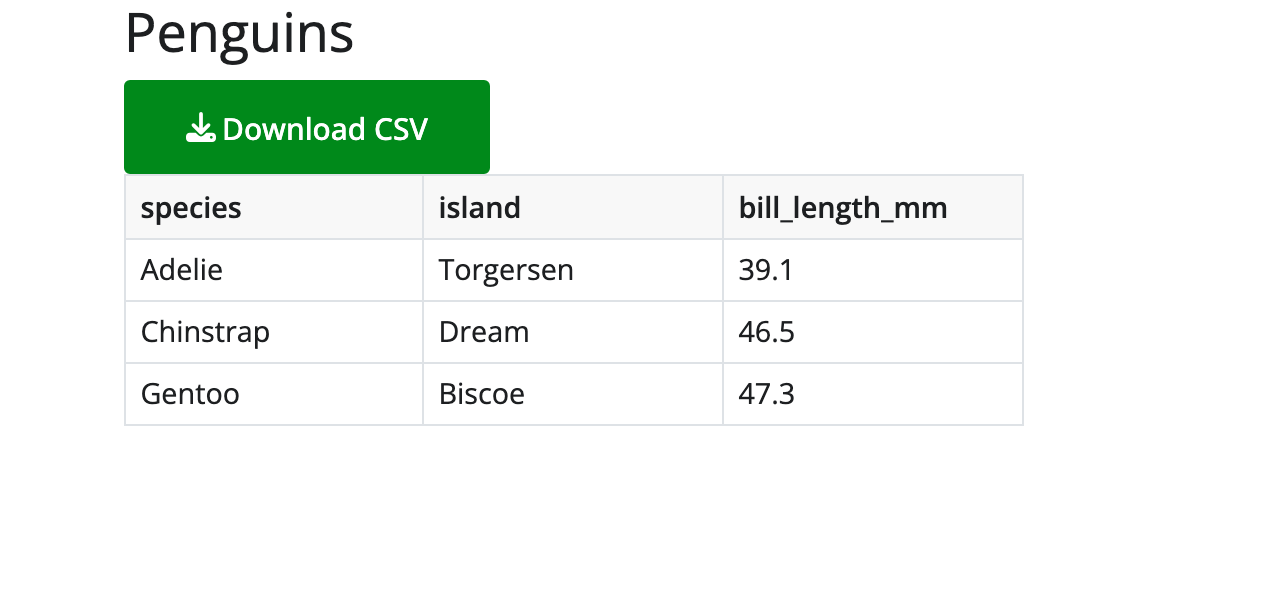
This is part of a wider fix. In Express, @output_args() now accepts every argument of the output’s UI function. On a @render.ui output, it accepts inline, container, fill, fillable, and HTML attributes, and on a @render.text output it accepts container, instead of raising a TypeError.
Also, if a download handler sets a reactive value, the outputs and effects that read it now update right away. Before, they waited for the next message from the browser.
Updates from background tasks#
Sometimes an app starts an asyncio task that runs alongside the reactive graph, for example to poll a service or to watch a file. Before 1.9, a ui.update_*() call from such a task sat in a queue until the user next changed an input. In 1.9, it’s sent to the browser right away:
import asyncio
from datetime import datetime

from shiny import App, ui

app_ui = ui.page_fixed(
    ui.input_text("status", "Last heartbeat"),
)


def server(input, output, session):
    async def heartbeat():
        while True:
            await asyncio.sleep(1)
            ui.update_text("status", value=datetime.now().strftime("%H:%M:%S"))

    task = asyncio.create_task(heartbeat())
    session.on_ended(task.cancel)


app = App(app_ui, server)
The text box now ticks once a second, with no input from the user. If the task needs to change a reactive value instead, wrap the change in session.run_once_when_idle(), described above, so it doesn’t change under an effect that is still running.
Faster data frames#
@render.data_frame now serializes data frames faster and with less memory. A 100,000-row frame with mixed column types serializes 2 to 3.5 times faster, with a 15 to 40% lower memory peak. The largest gains are for pandas datetime and timedelta columns, duration columns, and Decimal or missing (pd.NA) values. Editing a cell no longer copies the whole data frame. (Thanks, @FBruzzesi!)
Along the way, values of pandas nullable dtypes (Int64, Float64, boolean) now reach the browser as numbers and booleans instead of strings such as "1" and "True", so they sort and filter as you would expect. Polars Categorical and Enum columns work with Polars 2.0, and key-value Map columns are labeled as object, like struct and list columns.
Deprecation: shiny add test#
shiny add test, which generated Playwright tests with an LLM, is deprecated and will be removed within the next few releases. To generate tests, use the bundled shiny-for-python Agent Skill with your coding agent instead. The skill also knows about in-memory server tests, which are often all you need.
Other improvements#
A few more changes worth a quick mention. The full list is in the changelog:
- Message handlers set with
session.set_message_handler()now run in their own task, so a slow handler no longer holds up other messages from the client. - Destroying an effect now cancels its in-progress run. So when a session ends, its in-progress
asynceffects and render functions are cancelled instead of running on after the session is gone. req(False, cancel_output=True)inside a@reactive.effectnow stops the effect quietly, instead of being treated as an error that closes the session.- On Windows, an output’s busy indicator now shows while the output renders.
ui.input_date()’sdatesdisablednow works whenformatis not the defaultyyyy-mm-dd.Progress.set(0)now places the bar at0relative tominandmax. Before,Progress(min=-10, max=10)showed an empty bar at0instead of a half-full one.near_points()andbrushed_points()now handle a categorical column whose categories aren’t strings, instead of raisingValueError.- Module bookmarks now find the files that
session.bookmark.on_bookmark()saved when the app restores. shiny createnow offers the “Stream markdown with enterprise LLM” templates, which a misspelled path had hidden.Jsonifiablenow usesSequenceandMapping, so values likedict[str, int]andlist[str]type-check as JSON-able. (Thanks, @wolfgang-aura!)
In closing#
We’re excited to see what you build with this release. If an app behaves differently after you upgrade, especially around async code, please let us know! As always, if you have questions or feedback, join us on Discord or open an issue on posit-dev/py-shiny. Happy Shiny-ing!
The example apps in this post are in the post’s _examples/ folder.
Acknowledgements#
A big thank you to all the folks who helped make this release happen by opening issues and contributing code:
@cpsievert, @faysou, @FBruzzesi, @fricour, @jat255, @karangattu, @mmporong, @pcbeingused333, @raashish1601, @Rodrigo-Palma, @schloerke, @taekop, and @wolfgang-aura.