



We now have a plotnine skill for AI Agents. If you write plotnine and use AI coding assistants day-to-day, this is for you. It targets the Agent Skills standard, so it works across any Agent that supports skills (Claude Code, Codex, and others) and helps an Agent produce consistent, runnable plotnine code.
Install#
Install once:
uvx skillsmd add has2k1/plotnine-skillor
npx skills add has2k1/plotnine-skillWith either option, you will be prompted to choose the specific agents you wish to configure.
For versions of plotnine >= 0.15.4, the skill is built-in and you can install it using library-skills.
# Install into .agents
uvx library-skills install -s plotnine

# Install for Claude (.claude)
uvx library-skills install --claude -s plotnine
Try it#
Once installed, simply ask your Agent to use plotnine and create a plot. For example:
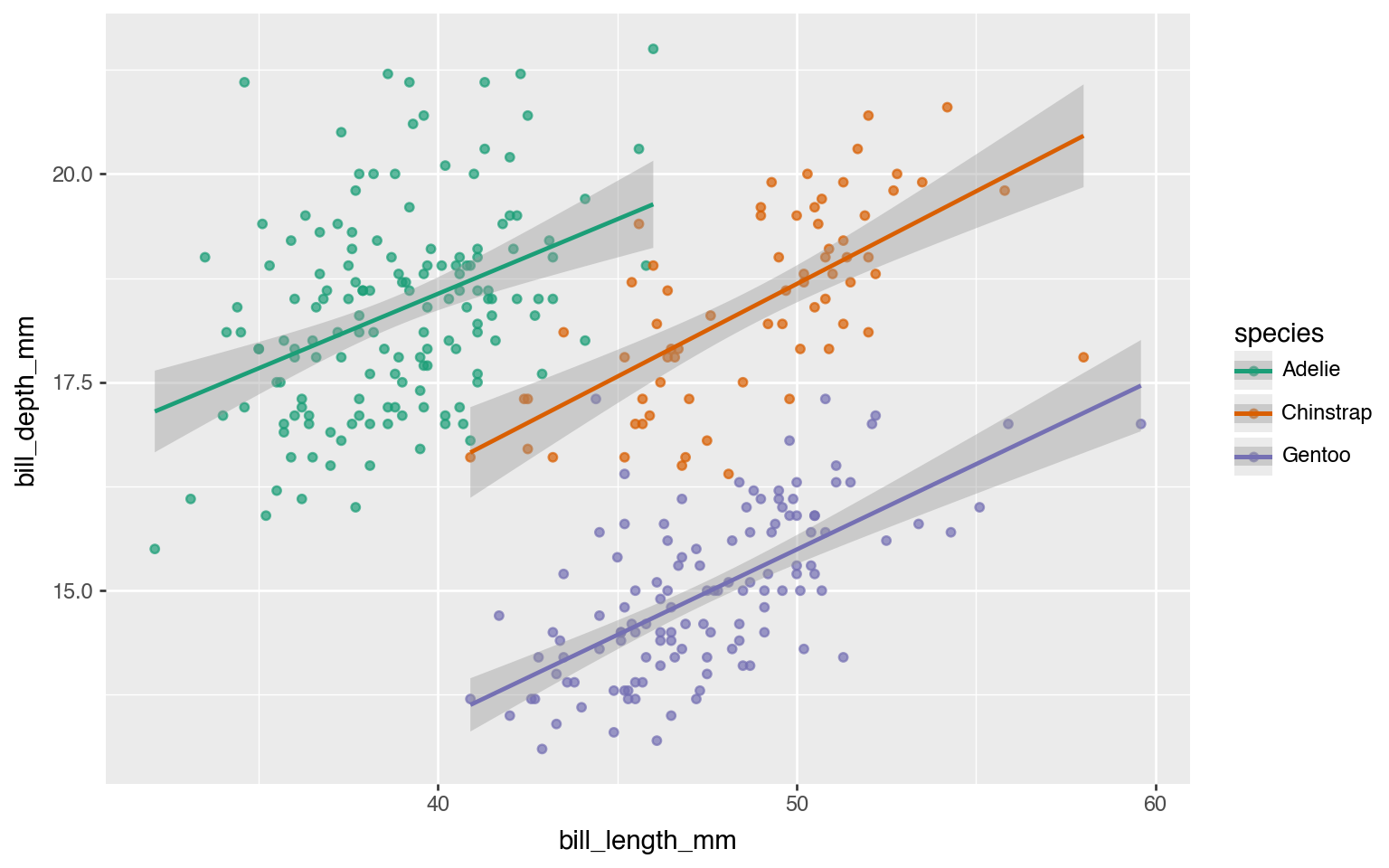
Use plotnine to create a scatter plot of bill_length_mm vs bill_depth_mm from the penguins dataset, colored by species, with a colorblind-safe palette and a smoothed trend line per species.
Compare the results for the above prompt with skill and without skill.
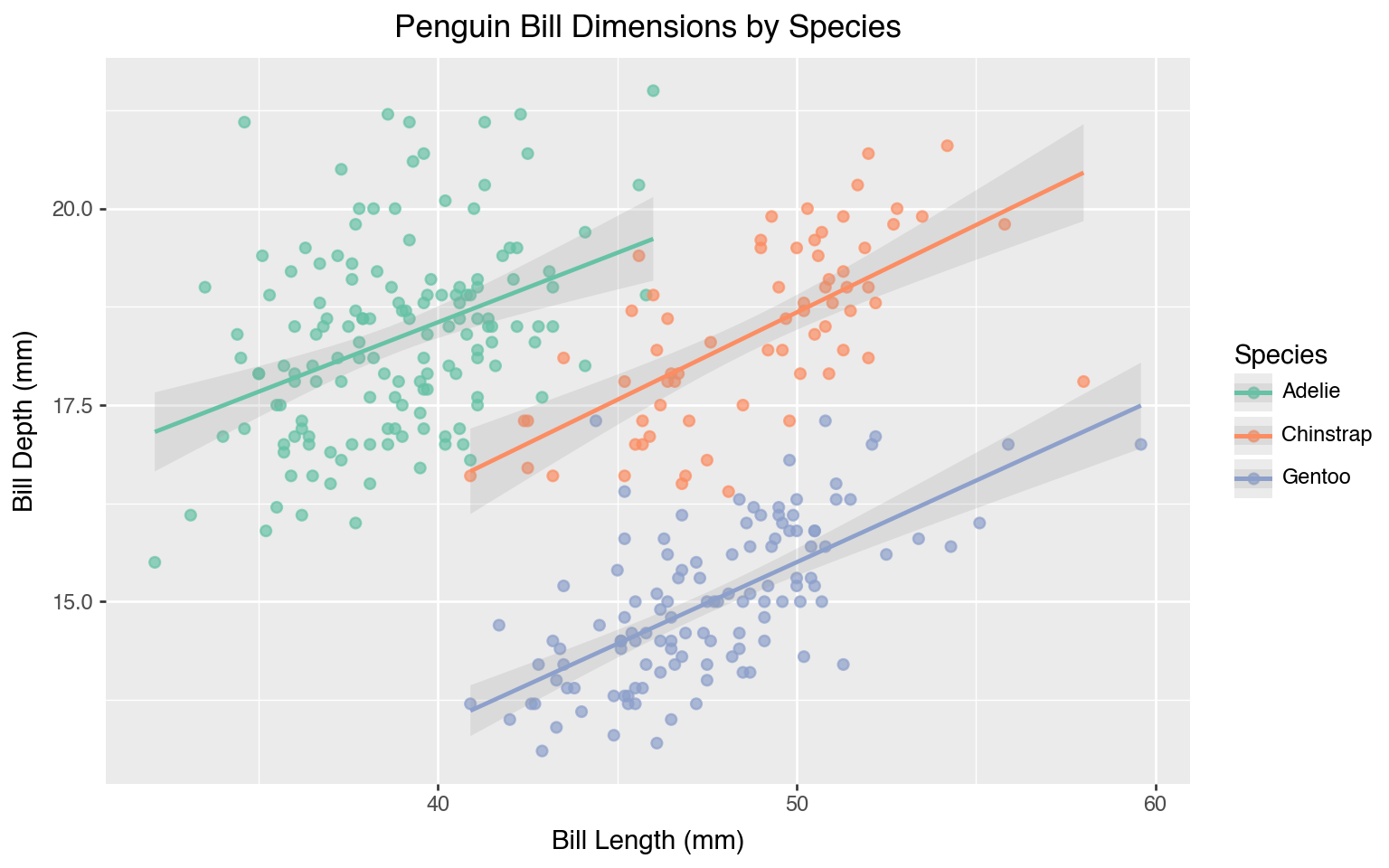
from plotnine import ggplot, aes, geom_point, geom_smooth, scale_color_brewer, labs
from plotnine.data import penguins

(
    ggplot(
        penguins.dropna(),
        aes(x="bill_length_mm", y="bill_depth_mm", color="species"),
    )
    + geom_point(size=2, alpha=0.7)
    + geom_smooth(method="lm", se=True, alpha=0.2)
    + scale_color_brewer(type="qual", palette="Set2")
    + labs(
        x="Bill Length (mm)",
        y="Bill Depth (mm)",
        title="Penguin Bill Dimensions by Species",
        color="Species",
    )
)
from plotnine import aes, geom_point, geom_smooth, ggplot, scale_color_brewer
from plotnine.data import penguins

p = (
    ggplot(penguins, aes(x="bill_length_mm", y="bill_depth_mm", color="species"))
    + geom_point(alpha=0.7)
    + geom_smooth(method="lm", se=True)
    + scale_color_brewer(type="qual", palette="Dark2")
)

p.save("scatter_penguins.png", width=8, height=6, dpi=100)
Note that even without a skill, the Agent (Claude Code Opus 4.6) generates readable and idiomatic code. The differences then map directly to some of the aspects that the skill enforces. In this case they are:
- Accessibility — axis labels with units (where possible) and a real title
- Data Completeness —
penguins.dropna()means that the smoother isn’t quietly skipping rows.
As Agents are prone to doing, without a skill the Agent was presumptuous and generated code to save the plot to a file. The skill makes that experience tighter with fewer surprises, fewer fixes after the fact.
What is next?#
We want this skill to rock, hard, and this is only the beginning. The vibes may seem good but, with intent, we want to build a sense of where the skill reliably helps and where it does not, so that performance and improvements are grounded in more formal evidence rather than vibes.
Your feedback can help. If you try it, tell us how it performs; the prompts it handled poorly, those were it was surprisingly exceptional, and even those where it was good but it can be exceptional. The show is still going on, and we will be glad to see what you show us at the repo.